

When a company receives inquiries via WhatsApp, social media, and other platforms, simply being present on multiple channels is not always enough. If each channel operates separately, the team may take longer to respond, lose track of conversations, and duplicate tasks to keep customer information organized. To avoid these issues, many companies consider a multichannel platform or an omnichannel platform that allows them to organize conversations, distribute requests among agents, and improve sales follow-up.
Although both models allow you to serve customers through different channels, they do not necessarily offer the same level of integration. The difference lies in how conversations are connected, what information the team shares, and which processes can be centralized.
This guide explains the differences between multichannel and omnichannel platforms, what services a company needs, and which features to evaluate before choosing a solution for sales and customer service.
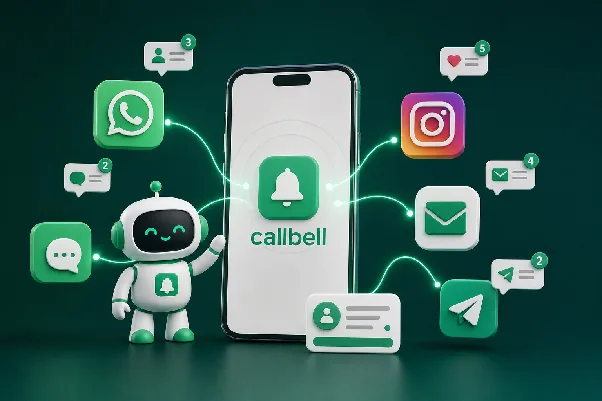
What is a multichannel platform?
A multichannel platform allows a company to communicate with its customers through different channels, such as WhatsApp, Instagram Direct, Facebook Messenger, email, or web chat. The goal is to offer various contact options so customers can reach out through their preferred channel.
However, having multiple channels does not mean that all of them are connected within a single tool. A company may receive messages via WhatsApp but need separate applications to respond, check information, and follow up on each conversation.
What problems can a company face when using several channels separately?
A clothing store receives product availability questions via Instagram and purchase requests via WhatsApp. If both channels operate independently, the team may encounter situations like these:
- Scattered conversations: Agents must check different apps to identify previous messages, see if a purchase was already made with another agent, or ask when the customer first made contact (depending on a colleague’s memory).
- Irregular follow-up: A salesperson may forget to follow up with an interested buyer because there are no reminders or added notes.
- Duplicate information: Customer data may be recorded in different tools and possibly with errors.
- Difficulty supervising service: The team leader needs to check several sources to know the message volume and response times.
- Dependence on specific people: If an agent is unavailable, another team member may have trouble recovering the context of a conversation.
These problems do not appear in every multichannel operation. Their impact depends on message volume, team organization, and the tools used. When conversations start to multiply and coordination becomes more difficult, it’s time to consider a solution that allows you to centralize part of the operation.
What is an omnichannel platform?
An omnichannel platform integrates different communication channels into a shared workspace to facilitate conversation management and team coordination.
Depending on the available features, you can also assign conversations, check contact information, use internal notes, classify chats, automate tasks, and analyze support metrics.
This does not mean that all omnichannel solutions automatically identify a person when they write from two different channels. The unification of profiles, histories, and data for the same customer depends on each platform’s features and integrations.
What are the benefits of centralizing conversations?
An omnichannel platform can help companies:
- Reduce message dispersion
- Better distribute requests
- Ensure continuity in sales follow-up
- Coordinate multiple agents
- Identify improvement opportunities with real-time metrics
- Automate repetitive tasks with automation tools like bots and AI
The benefit is not simply having all channels on one screen. Integration is useful when it helps solve real coordination, follow-up, and service control problems.
Multichannel Platform vs. Omnichannel Platform
Although both models allow you to communicate with customers through different channels, the main difference lies in the level of integration between them.
| Criteria | Multichannel Platform | Omnichannel Platform |
|---|---|---|
| Support channels | Allows you to use multiple channels, which may operate independently. | Integrates multiple channels into a centralized management environment. |
| Conversation management | May require agents to check different applications. | Allows you to manage conversations from a shared inbox. |
| Agent collaboration | Depends on the tools used and how the team is coordinated. | Can facilitate conversation assignment and collaboration among agents. |
| Business information | May be spread across different systems. | Can centralize contacts and business data using available features. |
| Automation | Depends on the capabilities of each channel or tool. | Can integrate automations and support flows in one interface. |
| Customer follow-up | You may need to check statistics from several apps. | Can provide centralized indicators for the operation managed by the platform. |
| When to use | When the operation is simple and independent channels are sufficient. | When the company needs to coordinate teams, centralize conversations, and organize business processes. |
The main difference is not the number of channels, but the level of integration your operation needs. A company does not necessarily need an omnichannel solution just because it has multiple social networks; it needs one when working with channels individually starts to hinder support, follow-up, or control over agent, channel, and tool performance.
What multichannel and omnichannel services does a company need?
Before comparing providers, it’s important to identify what your business needs to solve. Not all companies require the same features or the same level of integration.
Here are some of the services to evaluate when choosing a multichannel or omnichannel platform:
- Channel integration: Messaging apps and other digital channels used by customers are connected.
What the company should evaluate:* Which channels the platform supports, what features are available for each, and whether there are technical requirements or extra costs to connect them. - Shared inbox: Allows multiple agents to handle conversations from the same environment. This is especially useful when message volume grows or when different people participate in the sales process.
What the company should evaluate:* Whether the tool lets you view pending conversations, check their history, collaborate with other agents, and distinguish who is responsible for each chat. - Conversation assignment: When several people handle the same channel, it’s important to define who responds to each inquiry and how work is distributed.
What the company should evaluate:* Assignment options, team organization, access permissions, and how to prevent several people from responding to the same customer without context. - CRM for contacts and opportunities: A support platform can offer CRM features to organize contacts and facilitate follow-up on sales conversations. This organization helps reduce reliance on each salesperson’s memory and ensures continuity in the sales process.
What the company should evaluate:* Whether it only needs to organize contacts or also requires a CRM with broader features, such as opportunity management, sales reports, forecasting, or integrations with other systems. - Support automation: Frequently asked questions, initial data collection, and some common requests can consume a significant portion of the team’s time. Solutions with artificial intelligence can expand these possibilities, depending on their capabilities and configuration.
What the company should evaluate:* Which tasks can be automated, how information is updated, what happens when the bot cannot resolve a query, and how the conversation is transferred to a person. - Support and sales metrics: Depending on the platform and plan, metrics may include message volume, response times, pending conversations, and other indicators of team performance.
What the company should evaluate:* Which indicators the tool offers, how easily they can be accessed, and whether it’s possible to segment them by agent, channel, or period. - Business integrations: APIs, webhooks and other integrations can help exchange information between the messaging platform and the systems the business uses, as long as a compatible integration exists or the necessary connection is developed.
What the company should evaluate:* Which integrations are available, what information can be exchanged, what technical knowledge is required for setup, and whether there are additional implementation costs.
How to choose a multichannel or omnichannel platform?
Once you’ve identified the services your operation needs, compare the alternatives that meet these specific criteria.
1. Identify where time and opportunities are lost
Before requesting a demo, review how your team works.
Do agents have to switch between several apps? Are follow-ups forgotten? Are there conversations without an assigned owner? Is business information scattered across spreadsheets and chats? These questions help identify what problems the platform should solve and avoid paying for features the company doesn’t need.
2. Check supported channels and included features
It’s not enough for a provider to call itself omnichannel. It’s important to verify that it supports the apps your company uses and includes the necessary features to work with them.
3. Review ease of use for the team
A tool may have many features, but if agents don’t understand how to use it, it will be harder to incorporate into operations.
4. Evaluate automation without losing control of support
Automation can help answer repetitive queries, but the company needs to define which situations require human intervention. Check how flows are configured, how responses are updated, and what options exist to transfer a conversation when needed.
5. Analyze metrics and integration possibilities
The platform should allow you to access the indicators needed to supervise support. If the company also needs to measure sales, connect inventory, or sync data with an external CRM, check whether the available integrations cover those needs.
6. Calculate the total cost of the solution
The initial price does not always represent the full cost. Review the number of agents, connected channels, additional modules, API usage, and possible charges related to messaging services.
7. Define how results will be measured
Before implementing the platform, the company can set benchmark indicators, such as average response time, number of pending conversations, or percentage of queries requiring human intervention.
Callbell: An Omnichannel Platform for Sales and Customer Service Teams
Callbell brings these features together in a platform designed for sales and customer service teams.
1. Inbox to centralize conversations
Callbell allows you to gather conversations from different messaging channels in a single interface, so the team can respond and collaborate without managing each channel from a separate tool.
How does it help the company? It makes it easier to organize messages and agents’ daily work, especially when inquiries come through different apps.
2. Multi-agent management and conversation assignment
The platform includes features to organize agents’ work and direct conversations to the appropriate owners.
How does it help the company? It allows you to structure support among team members and makes coordination easier when several people handle the company’s channels.
3. Tools to organize contacts and follow-ups
Callbell offers features such as tags, internal notes, quick replies, reminders, and business organization tools, depending on the available configuration.
How does it help the company? The team can classify contacts, share relevant information, and resume conversations without relying solely on external records or each agent’s memory.
4. Artificial Intelligence and Chatbots: Process Automation
Callbell includes a visual chatbot builder that lets you set up automations for messaging apps without having to program each flow from scratch. In addition, it allows you to create, customize, and deploy an AI Agent that understands customer intent, recommends, suggests, and proposes purchase alternatives, and brings the conversation to the final point: the sale closure.
How does it help the company? It lets you structure responses and repetitive tasks so agents can spend more time on conversations that need analysis, advice, or human intervention.
5. Metrics to analyze operations
Callbell offers statistics that can help monitor support aspects such as message volume, response times, and pending conversations, depending on the features available in the plan.
How does it help the company? These indicators allow you to observe operational behavior and detect situations that require adjustments in workload distribution or support processes.
6. Integrations with business tools
Callbell offers integration options, including APIs and webhooks, which can be used to connect the platform with other business systems when the use case and configuration allow.
How does it help the company? It makes it easier to connect messaging with other work processes, as long as technical compatibility and the required integration scope are confirmed.
7. WhatsApp Campaigns to Connect with Customers
Callbell also offers a broadcast module to run campaigns via WhatsApp Business API.
How does it help the company? It allows you to complement individual support with targeted communications to contacts, such as promotions, newsletters, or updates, while respecting the policies and requirements applicable to the channel.
Which companies can benefit from Callbell?
Callbell can be an alternative for companies that:
- Receive sales or support inquiries through different messaging apps.
- Need multiple agents to share channel support.
- Want to organize contacts and improve lead follow-up.
- Want to automate FAQs and certain support steps such as sending documents, catalogs, or payment links.
- Need to check metrics to supervise team performance.
- Want to connect messaging with other business tools.
- Use WhatsApp to serve customers and also need to organize business communications.
Conclusion: Choose a Platform Based on Your Operation’s Needs
A company does not need to integrate every available channel to improve customer service. It needs to identify where conversations are scattered, which tasks hinder follow-up, and what information the team needs to work in a coordinated way.
The key is to choose a platform that solves concrete problems, adapts to your business processes, and allows you to measure results.
If your company receives conversations via WhatsApp, Instagram, and other messaging apps, you can learn more about Callbell and see if its shared inbox, multi-agent management, automation, and integration features fit your sales and customer service team’s needs.
Learn about Callbell and discover if its features suit your sales and customer service team’s needs.
 The authorAlan TrovòMarketing manager at Callbell, the platform that helps sales and support teams talk to customers via WhatsApp, Messenger, Telegram and Instagram Direct.

 Use Google